
Logitech MK950 Signature wirelesss Slim Combo Keyboard and Mouse – Graphite
R2095
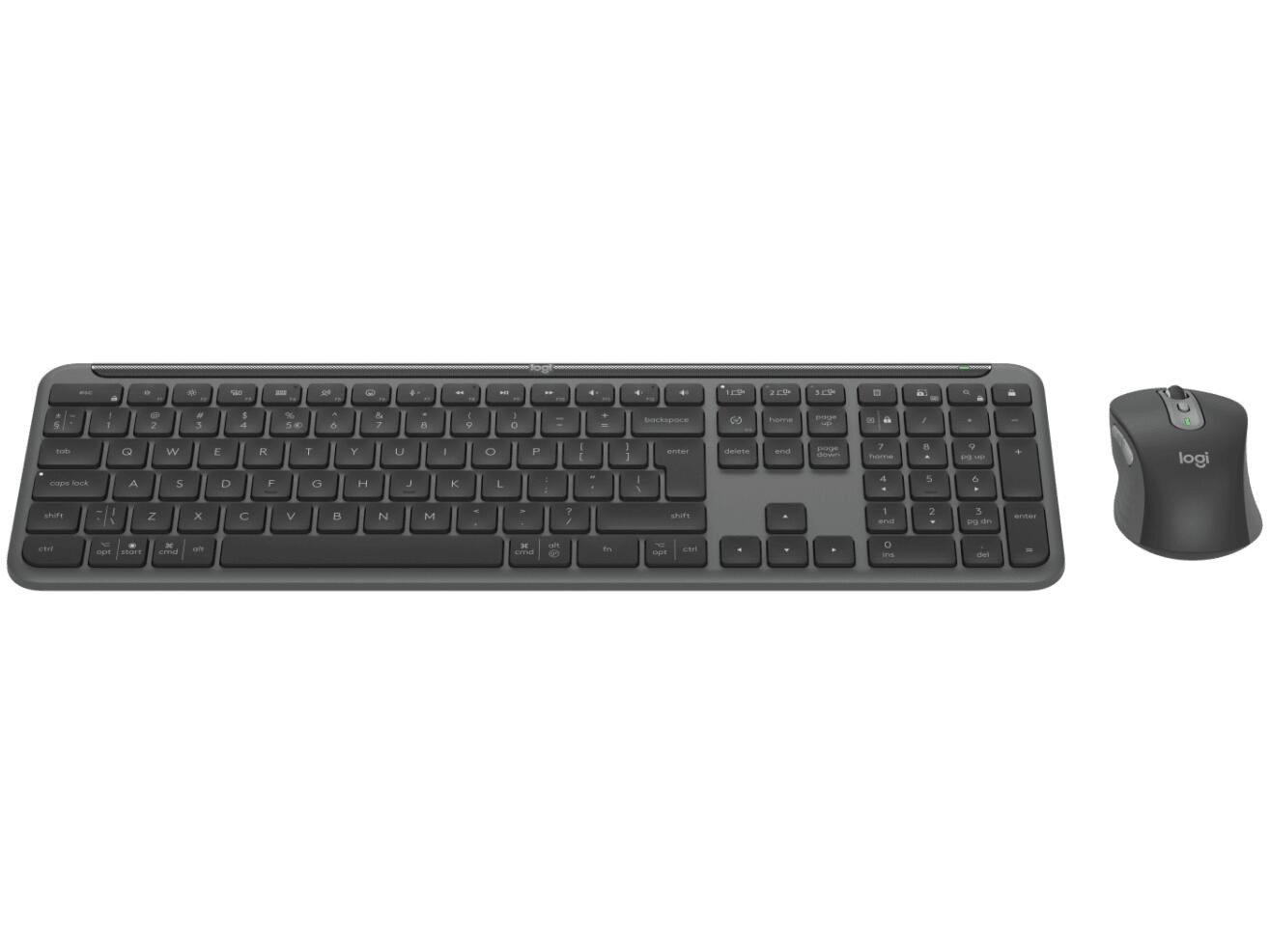
Step up your productivity with the Logitech MK950 Signature Slim Combo, a versatile keyboard and mouse set designed for seamless transitions between work and personal devices. Whether you’re managing multiple computers or looking for a quiet, comfortable typing experience, this combo adapts to your workflow effortlessly.
In stock
Description
FEATURES
Effortless Switching Between Devices
Easily control multiple computers with one keyboard and mouse. The MK950 supports seamless switching across Windows and Mac devices using Bluetooth or the Logi Bolt USB receiver. Transfer text, images, and files between devices with ease when all connected to the same network. Customization is simple through the Logi Options+ app, available for Windows and macOS.
Personalized Workflow Control
Optimize your daily tasks by customizing the F-keys and mouse buttons. Assign shortcuts to launch apps, open browsers, or control media. Ready-to-use Smart Actions help you manage work and personal tasks with a single click or keystroke, streamlining your routine and saving valuable time.
Quiet and Comfortable Typing Experience
Focus without distractions thanks to the quiet typing keyboard and SilentTouch mouse. The contoured mouse with rubber grips ensures comfort during extended use, while the SmartWheel provides smooth scrolling for efficient navigation.
Battery Life Designed for Longevity
The keyboard runs on two AAA batteries with up to 36 months of battery life, and the mouse uses one AA battery lasting up to 24 months. Battery life may vary depending on usage and computing conditions, minimizing the need for frequent replacements.
TECHNICAL SPECIFICATIONS
Product Code: 920-012500
Dimensions
Keyboard
Height: 134.8 mm
Width: 433.8 mm
Depth: 23.1 mm
Weight (with battery): 685 g /(without battery- without receiver): 662.6 g
Mouse
Height: 108.2 mm
Width: 61 mm
Depth: 38.8 mm
Weight (with battery): 101.3 g / (without battery – without receiver): 76.3 g
General Specifications
Battery Keyboard: Battery Type: Non-rechargeable, Alkaline
Number of Batteries: 2xAAA (included)
Battery life: 36 months . Battery life may vary based on user and computing conditions.
Battery Mouse
Battery Type: Non-rechargeable, Alkaline
Number of Batteries: 1xAA (included)
Battery life: 24 months . Battery life may vary based on user and computing conditions.
Keyboard (additional specs): Full-size layout with number pad
Tilt legs (for 8 degree typing angle)
On/Off power switch
Caps Lock, Battery and Easy-Switch keys indicator lights
Multi OS printed layout (Windows/Mac/Chrome)
Easy-Switch Keys (connect up to 3 multi-OS devices)
Compatible with Logitech Flow technology enabled mouse . Logi Options+ needs to be installed and all your computers connected to the same network. Customize device by installing the Logi Options+
Mouse (additional specs): Quiet click and scrolling . Click noise reduced by over 90% compared to Logitech M185. Left click and typing dBA level measured by an independent lab at 1 meter
SmartWheel technology
Contoured shape with rubber grips
Number of buttons: 6 (Left/Right-click, Scroll-wheel with middle click, side buttons, DPI button)
On/Off power switch
Battery indicator and Easy-Switch indicator lights
Multi OS compatibility: Easy-Switch button (connect up to 3 multi-OS devices)
Compatible with Logitech Flow technology . Logi Options+ needs to be installed and all your computers connected to the same network. Customize device by installing the Logi Options+ App available for recent versions of Windows and macOS at logi.com/optionsplus
Sensor Technology: Logitech Advanced Optical
Nominal value: 1000 DPI
DPI (Minimal and maximal value): 400-4000 DPI (can be set in increments of 100 DPI)
Connection type support: Logi Bolt USB receiver (included)
Bluetooth Low Energy Technology (Bluetooth 5.1)
Wireless range: Wireless range: 10 m . Wireless range may vary based on user, environmental, and computing conditions.
Requirements
Requirements: Bluetooth Low Energy enabled device with keyboard and mouse support
Customization app: Supported by Logi Options+ on Windows and macOS . Customize device by installing the Logi Options+ App available for recent versions of Windows and macOS at logi.com/optionsplus Logi Options+ App is currently not supported for Chrome OS, Linux, ipadOS, iOS and Android. The device’s basic functions will work without it.
SUSTAINABILITY SPECS: Graphite plastics: Keyboard Signature Slim K950 62% post-consumer recycled material, Mouse Signature M750 61% post-consumer recycled material . Signature Slim Combo MK950 plastic content: minimum 25% for the mouse and minimum 48% for the keyboard, excluding PWA, cables, receiver and packaging
Off-white plastics: Keyboard Signature Slim K950 48% post-consumer recycled material, Mouse Signature M750 25% post-consumer recycled material . Signature Slim Combo MK950 plastic content: minimum 25% for the mouse and minimum 48% for the keyboard, excluding PWA, cables, receiver and packaging
Keyboard aluminum plate: Low carbon aluminum
Paper Packaging: FSC -certified
Certified carbon neutral
Part Number
Graphite US International (Qwerty) : 920-012490
Off-white US International (Qwerty) : 920-012491
Compatibility
Logi Bolt USB Receiver
Required: Available USB-A Port
Windows 10, 11 or later . Customize device by installing the Logi Options+ App available for recent versions of Windows and macOS at logi.com/optionsplus
macOS 11 or later . Customize device by installing the Logi Options+ App available for recent versions of Windows and macOS at logi.com/optionsplus
ChromeOS . Logi Options+ App is currently not supported for Chrome OS, Linux, ipadOS, iOS and Android. The device’s basic functions will work without it. Mouse not supported by iOS.
Linux . Logi Options+ App is currently not supported for Chrome OS, Linux, ipadOS, iOS and Android. The device’s basic functions will work without it. Mouse not supported by iOS.
Bluetooth Low Energy
Required: Bluetooth Low Energy wireless technology
Windows 10, 11 or later . Customize device by installing the Logi Options+ App available for recent versions of Windows and macOS at logi.com/optionsplus
macOS 11 or later . Customize device by installing the Logi Options+ App available for recent versions of Windows and macOS at logi.com/optionsplus
ChromeOS . Logi Options+ App is currently not supported for Chrome OS, Linux, ipadOS, iOS and Android. The device’s basic functions will work without it. Mouse not supported by iOS.
Linux . Logi Options+ App is currently not supported for Chrome OS, Linux, ipadOS, iOS and Android. The device’s basic functions will work without it. Mouse not supported by iOS.
iPadOS 14 or later . Logi Options+ App is currently not supported for Chrome OS, Linux, ipadOS, iOS and Android. The device’s basic functions will work without it. Mouse not supported by iOS.
iOS 14 or later . Logi Options+ App is currently not supported for Chrome OS, Linux, ipadOS, iOS and Android. The device’s basic functions will work without it. Mouse not supported by iOS.
Android 9.0 or later . Logi Options+ App is currently not supported for Chrome OS, Linux, ipadOS, iOS and Android. The device’s basic functions will work without it. Mouse not supported by iOS.
In the Box
1x USB Bolt receiver (outside the devices – in the kbd tray)
1 x keyboard with 2 x AAA batteries (pre-installed)
1 x mouse with 1 x AA batteries (pre-installed)
1 x IID (4”x4”)
1 QSG printed on the keyboard tray
Additional information
| Weight | 1,1 kg |
|---|---|
| Dimensions | 14,7 × 45 × 6,2 cm |
| Condition |