
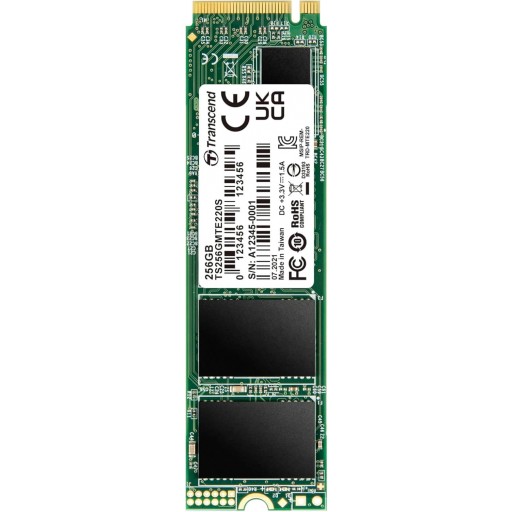
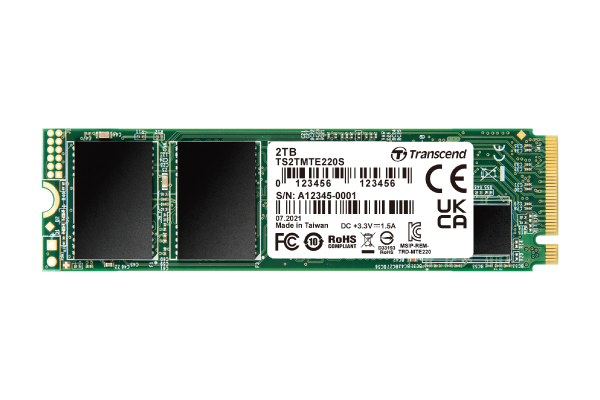
Transcend 220S 256GB NVMe M.2 2280 PCI-Express 3.0 x4 Solid State Drive
R2700
Transcend’s PCIe SSD 220S aims at high-end applications, such as digital audio/video production, gaming, and enterprise use, which require constant processing heavy workloads with no system lags or slowdowns of any kind. Utilizing the PCI Express® Gen3 x4 interface supported by the latest NVMe™ standard, 3D NAND flash memory, an 8-channel controller, and a DRAM cache, the PCIe SSD 220S offers supreme transfer speeds that override others.
In stock
Description
FEATURES
256GB Storage Capacity
M.2 2280 Form Factor
PCIe Gen3 x4 NVMe Interface
Up to 3300 MB/s Sequential Read Speed
Up to 1250 MB/s Sequential Write Speed
4KB Random Read: Up to 190,000 IOPS
4KB Random Write: Up to 300,000 IOPS
Advanced Garbage Collection
DRAM Cache
High-Reliability 3D NAND Flash
RAID Engine
MTBF: Up to 2M Hours
TECHNICAL SPECIFICATIONS
Brand: Trancend
Series: 220S
Model: TS256GMTE220S
Appearance
Dimensions: 80mm x 22mm x 3.58mm
Weight: 10g
Type: M.2 2280
Interface
Bus Interface: NVMe PCIe Gen3 x4
Storage
Flash Type: 3D NAND Flash
Capacity: 256GB
Operating Environment
Operating Temperature: 0°C – 70°C
Operating Voltage: 3.3V
Performance
Sequential Read (CrystalDiskMark): Up to 3,300MB/s
Sequential Write (CrystalDiskMark): Up to 1,250MB/s
4K Random Read: Up to 190,000 IOPS
4K Random Write: Up to 300,000 IOPS
Terabytes Written (TBW): 550 TBW
Mean Time Between Failures (MTBF): 2,000,000 hours
Drive Writes Per Day (DWPD): 1.2 (5 yrs)
Warranty
Certificate: CE/FCC/BSMI/KC/RCM
General
Operating System: Microsoft Windows 7 or later
Linux Kernel 2.6.31 or later
Technology: S.M.A.R.T.
Advanced Garbage Collection
RAID Engine
LDPC Coding
DRAM Cache
Additional information
| Weight | 0,2 kg |
|---|---|
| Dimensions | 2,2 × 8 × 0,1 cm |
| Condition | |
| HDD/SSD Interface | M.2 PCI-Express 3.0 |
| Storage Size | 120 GB – 256 GB |
Frequently Asked Questions
Q: How much data can this drive hold?
A: This drive provides 120 GB - 256 GB of total storage space for your files, games, and operating system.
Q: How does this drive connect to my system?
A: It connects via a M.2 PCI-Express 3.0 connector interface. Make sure your motherboard has a matching slot or cable connection.


