“ATEN VS5821 Essentials 2-Port 8K HDMI Switch” has been added to your basket.
View basket
Showing 1–16 of 60 results
-
R3235
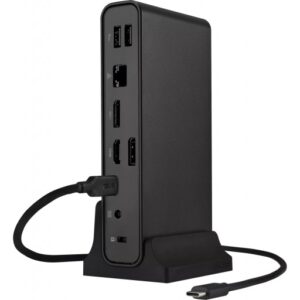
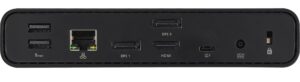
ASUS Triple Display USB-C Dock Duo DC301 Duo is a sleek, compact one-stop device that streamlines laptop connectivity. Power your laptop through a single cable, connect to your network and peripherals, and multitask with up to four monitors1 — including a laptop monitor and three external monitors. It also has an integrated SD card reader for a diverse array of business scenarios. Simply put, ASUS Triple Display USB-C Dock Duo DC301 Duo keeps your desk neat, tidy and organized while setting you up for work in the blink of an eye.
-


R1315
ASUS Dual 4K USB-C Dock is a compact, portable, and stylish 5-in-1 docking station that offers dual 4K 60 Hz output via HDMI 2.1 and USB-C®, superfast 10 Gbps file transfers via USB, Gigabit Ethernet, and up to 100-watt Power Delivery to power and charge laptops and mobile devices. It offers users a world of convenience, efficiency, and productivity.
-


R1945
The ASUS QG-U1050 is a 5-port 2.5G unmanaged Ethernet switch designed to instantly boost home or small office network speeds without complicated configuration.
-

R1695
The ROG 100W Gaming Charger Dock combines full power charging, data transfer, and display output from a single device. When paired with an ROG Ally or compatible laptop*, you can connect to a TV or external monitor via HDMI, connect your keyboard and mouse with USB-A, and charge your device over USB-C, allowing for seamless gaming on the big screen. Ultra-fast charging and data transfer also make this dock a convenient companion when traveling, no dongles required.
-


R10665
The CE604 DVI Dual View KVM Extender from ATEN allows you to separate the monitors, keyboard, and mouse from the physical computer by up to 200′ using one or two Ethernet cables – a single cable if one monitor is used, and two cables if two monitors are used. The system supports one or two DVI monitors, has dual USB ports on the Remote Unit for a keyboard and mouse, and has a microphone input and headphone/speaker output. In addition, there is an RS-232 interface for legacy serial devices or integrating the extender with RS-232-operated A/V hardware.
-


R530
Share up to two USB peripherals between two computers using the ATEN Essentials 2 x 2 USB 3.2 Gen 1 Sharing Switch. This sharing switch features two USB-A 3.2 Gen 1 ports for peripherals, as well as two USB-A 3.2 Gen 1 ports for connecting to your computer. The built-in push button makes it simple and easy to switch between computers. When connected to a computer, the sharing switch automatically powers on for convenience.
-


R465
Share up to four USB peripherals between two computers using the ATEN Essentials 2 x 4 USB 2.0 Sharing Switch. This sharing switch features four USB-A 2.0 ports for mice, keyboards, drives, and other peripherals, as well as two USB-A 2.0 ports for connecting to your computer. The built-in push button makes it simple and easy to switch between computers.
-


R725
Share up to four USB peripherals between two computers using the Essentials 2 x 4 USB 3.2 Gen 1 Sharing Switch. This sharing switch features a single USB-C 3.2 Gen 1 port and three USB-A 3.2 Gen 1 ports for peripherals, as well as two USB-A 3.2 Gen 1 ports for connecting to your computer. The built-in push button makes it simple and easy to switch between computers.
-


R845
Share up to four USB peripherals between two computers using the Essentials 2 x 4 USB 3.2 Gen 1 Sharing Switch. This sharing switch features a single USB-C 3.2 Gen 1 port and three USB-A 3.2 Gen 1 ports for peripherals. It is equipped with a USB-A and a USB-C 3.2 Gen 1 port for connecting to your computers. The built-in push button makes it simple and easy to switch between computers.
-


R960
Expand the capabilities of your USB 3.2 Gen 1 Type-C compatible laptop or tablet by connecting the ATEN 5-in-1 USB 3.2 Gen 1 Type-C Travel Dock. Featuring an integrated male USB Type-C host connector, this lightweight aluminum dock connects directly to your device and can transfer up to 5 Gb/s through its USB Type-C and two USB Type-A ports.
-


R675
This VS5821 Essentials 2-Port 8K HDMI Switch from ATEN is designed to instantly switch between two HDMI sources, such as set-top boxes, Blu-ray players, gaming systems, laptops, or computers. The compact unit provides a simple one-tap button switching design, supporting up to 48 Gb/s video transmission of up to 8K60 or 4K120 HDR video.
-

R420
The advanced 6-in-1 USB-C adapter showcases a USB Type-C plug ensuring seamless connectivity. It integrates dual USB-A 3.1 ports and dual USB Type-C 3.1 ports for rapid data transfer speeds of up to 10 Gbit/s and efficient fast charging capabilities at 5V/1.5A. Additionally, it features an HDMI port supporting 4K resolution at 60Hz for impeccable visual clarity. With USB Type-C Power Delivery up to 100W, it provides robust compatibility across Windows, macOS, Linux, and iPadOS platforms, catering to diverse technical requirements.
-


R3880
Designed to enhance everyday productivity, the Lenovo™ ThinkPad® USB4 Dock 5000 is the Successor of our famous Universal USB-C Dock equipped with cutting edge USB4 Technology, The dock can connect to your laptop with 40Gbps bandwidth USB4 upstream connectivity, that allows you to extend your monitor setup with more pixels and higher refresh rates.
-
R160
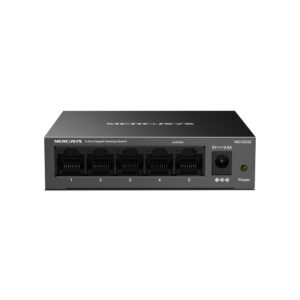
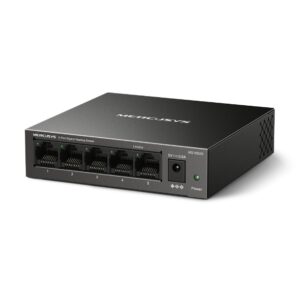
The Mercusys MS105GS is a compact 5-port Gigabit desktop switch designed for simple, reliable network expansion, featuring five 10/100/1000 Mbps auto-negotiation RJ45 ports with Auto-MDI/MDIX for effortless connectivity. Its durable metal housing supports both desktop placement and wall mounting, ensuring flexible installation and long-term heat dissipation performance. With true plug-and-play operation, it requires no configuration—ideal for instant deployment in home or small office networks.
-

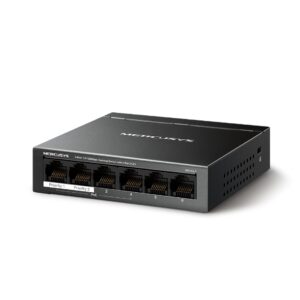
R350
4 PoE+ Ports (40 W Budget) for Network Deployment
Ports 1-4 support PoE+, and each of them supports a maximum of 30 W and is compliant with the 802.3af/at Powered Devices. MS106LP provides 2 ports without PoE+ for uplink devices, one of which is used to connect to the Internet and the other to connect to the NVR.
-


R135
Easy Wired Network Expansion 8-Port 10/100Mbps Desktop Switch MS108 Sleek,Ultra-Compact Design About the same size as a smartphone, the MS108 can be placed anywhere in your home without taking up too much space. Its fanless design allows it to remain unobtrusive, regardless of how long it has been running.

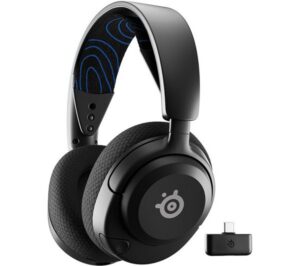 STEELSERIES Arctis Nova 5P Wireless PS5 Gaming Headset - Black
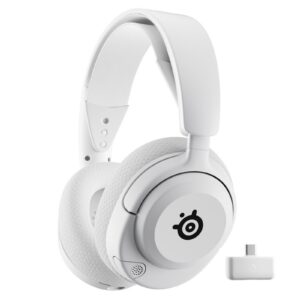 STEELSERIES Arctis Nova 5P Wireless Gaming Headset - White
 Amplify Spirit Series TWS Earphone - Black
 Sony WI-1000X Wireless Noise Cancelling In-ear Headphones - Black
 VolkanoX VXT100S TWS Bluetooth Earphones - Black
 Ducky Zero 6108 Cherry MX2A Blue Clicky Mechanical Wireless Black RGB Gaming Keyboard
 VolkanoX VXT200B True Wireless Earphones with Hybrid Active Noise Cancelling
 Logitech G915 X LightSpeed TKL Wireless RGB Gaming Keyboard